In this video you can see how to register the SII option in the tax configuration.
1. WHAT IS SII AND VERIFACTU? 2. GENERAL SCREEN 3. CONFIGURATION IN THE BACK-OFFICE
1. WHAT IS SII AND VERIFACTU?
The Immediate Information Supply System (SII) is a VAT management system implemented by the Spanish Tax Agency.
By selecting this option, you can continue using the SII system on your own without REVO performing any additional action.
2. GENERAL SCREEN
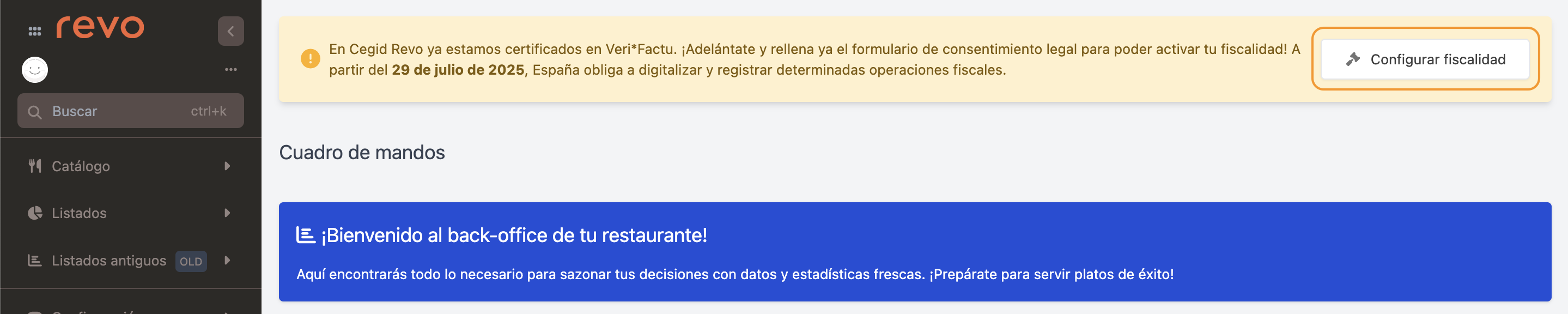
When accessing the back-office, a message will appear requesting tax configuration. Press Configure taxes to begin the process.
IMPORTANT: For existing users, the button is enabled only on iPads running version 4.8.6 or higher of the app.
3. CONFIGURATION IN THE BACK-OFFICE
ACCESSING THE TAX CONFIGURATION
1. Log in to the back-office of revo XEF.
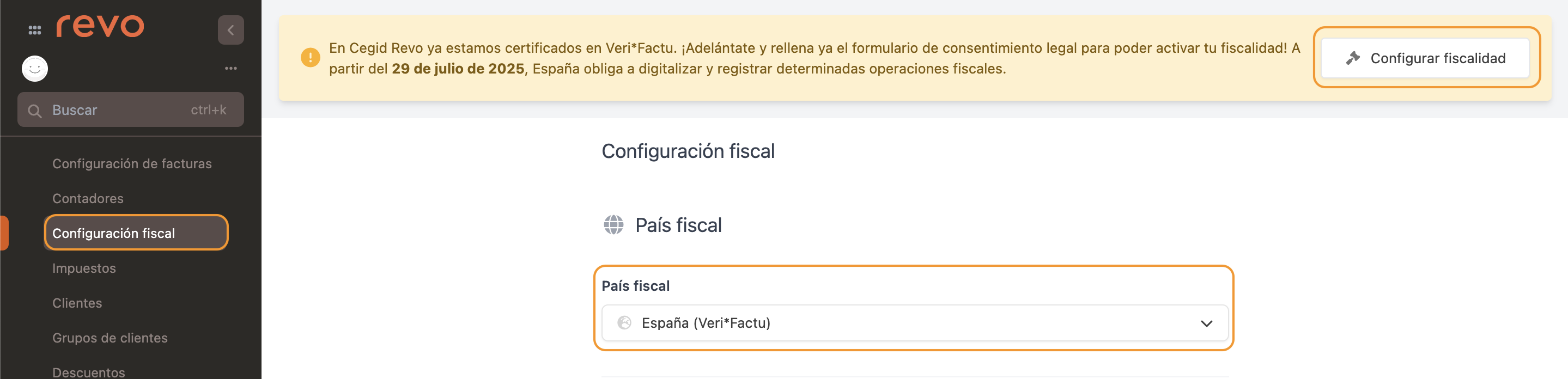
2. Go to Configuration / TAX CONFIGURATION.
3. Press Configure taxes and select Tax country: Spain (VeriFactu).
MODALITY SELECTION
Choose the option corresponding to your tax situation:
Option 3: I already work with SII or exemption
Use this option if your business is already integrated with the Immediate Information Supply System or if you have an applicable tax exemption.
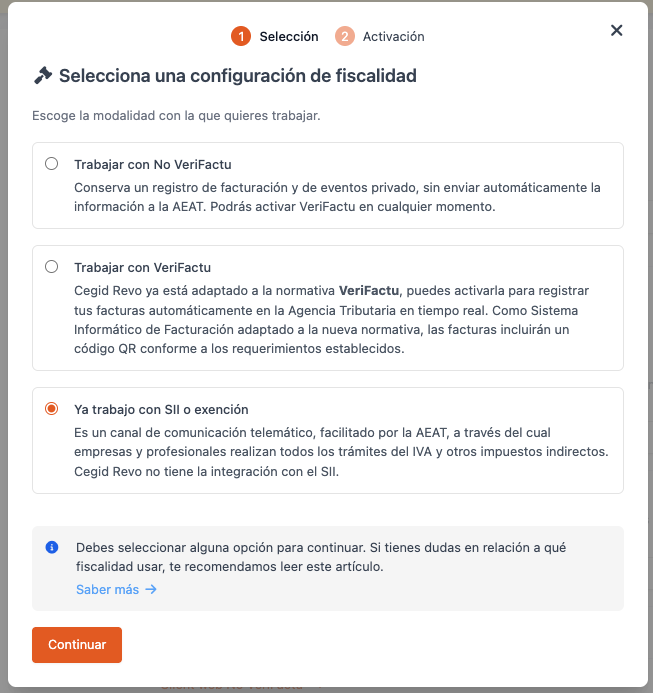
4. Once the modality is selected, press Save to apply the changes.
Done! SII has been successfully configured.